

If your organization relies on AEM for document generation, moving forward can feel complicated. Your templates, business rules, data connections, and delivery processes may support thousands, or millions of critical customer communications.
DocOrigin provides a practical path forward for organizations looking to modernize document generation while protecting the investments they’ve already made.
Built for enterprise document composition and high-volume output, DocOrigin helps organizations modernize AEM without forcing unnecessary changes to the business systems that supply the data. Eclipse Corporation combines advanced conversion technology with more than 30 years of document automation experience to help you migrate confidently and at your own pace.
AEM is a broad platform encompassing digital forms, workflows, document services, and customer communications. For organizations primarily using it to generate PDFs, printed documents, statements, notices, labels, or transactional communications, that breadth can introduce unnecessary cost and complexity.

You may be considering an alternative if your organization is facing:
DocOrigin focuses on what matters most for production communications: designing, generating, managing, and delivering accurate business documents at enterprise scale.
A document platform migration should not require you to redesign your entire technology environment.
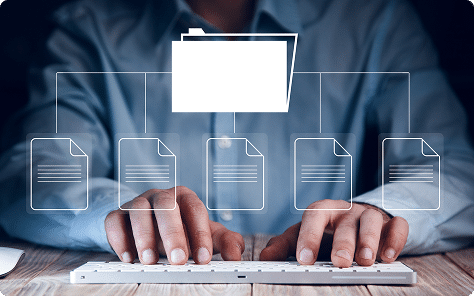
DocOrigin integrates with ERPs, line-of-business applications, legacy systems, and custom software and accepts data in formats such as XML, JSON, CSV, and overlay text. This allows your existing applications to continue producing the information your documents need while DocOrigin takes over composition, processing, and delivery.
The DocOrigin platform runs across multiple operating environments, including Windows, Linux, AIX, and IBM i. This cross-platform support allows organizations to migrate or upgrade servers with minimal disruption to their document processes. Support for REST and SOAP web services, database lookups, and automated email delivery provides further flexibility for integration, data retrieval and document delivery. The result is a streamlined document-generation environment with fewer dependencies and greater operational control.
Your AEM templates may represent years of design work, business logic, compliance requirements, and institutional knowledge. Starting over manually can add cost, risk, and months of unnecessary work.

The Eclipse Form Conversion Service helps transform existing Adobe XDP templates into DocOrigin’s open, XML-based format. Our team then works with you to validate layouts, data mappings, conditional content, pagination, barcodes, and output behavior.
This conversion-led approach helps you:
Migrating to a new document platform can feel daunting, but Eclipse’s Form Conversion Service (EFCS) makes the transition seamless. EFCS allows you to transfer existing AEM templates to DocOrigin, preserving your original designs and reducing the need for full redesigns.

Learn more about how our EFCS can ensure a smooth, seamless transition.

Eclipse is here to support your migration every step of the way. Let’s talk about how DocOrigin and our conversion service can help your team do more with less effort, transforming your document generation process into a competitive advantage.
A forced, all-at-once cutover can place critical document operations at risk. DocOrigin supports a controlled migration in which your existing AEM environment and DocOrigin can operate in parallel. Templates and workloads can be moved in phases based on business priority, complexity, volume, or application. Your team can compare output, complete user acceptance testing, and validate production performance before each workload is transitioned.

Discovery & Assessment
Eclipse reviews your templates, data sources, integrations, output requirements, and production volumes.
Template Conversion
Existing XDP assets are converted and optimized for DocOrigin.
Integration & Configuration
DocOrigin is connected to your current applications, data, printers, email systems, archives, and delivery workflows.
Output Validation
Converted documents are tested for layout accuracy, business rules, accessibility, and performance.
Phased Production Rollout
Approved workloads move into production according to a migration plan designed around your operational needs.
Training & Ongoing Support
Eclipse provides the knowledge and assistance your team needs to manage the new environment successfully.
DocOrigin supports both on-demand and high-volume batch generation, helping organizations produce everything from a single customer letter to extensive production runs.

High-performance processing
Generate complex, data-driven documents quickly while supporting priority requests alongside continuous batch operations.
Dynamic document composition
Use conditional logic, advanced pagination, reusable fragments, tables, charts, images, barcodes, and JavaScript to create highly personalized communications.
Multiple outputs and destinations
Produce PDF, PCL, PostScript, print, email, and other required outputs from a single document process.
Broad system compatibility
Deploy on Windows, Linux, AIX, or IBM i and connect DocOrigin with modern, legacy, ERP, and custom applications.
Accessible communications
Generate accessible PDF/UA documents and support Unicode, localization, and international communication requirements.
Flexible deployment
Choose the deployment model that aligns with your technical, security, and operational requirements, including DocOrigin Cloud.
Organizations evaluating DocOrigin in depth can reference our DocOrigin White Paper, which details architectural considerations, performance characteristics, integration patterns, and template strategies relevant to enterprise and OEM environments.
Download the DocOrigin White PaperDocOrigin is an especially strong fit when AEM is primarily being used for:
If your organization uses other parts of AEM, DocOrigin can be evaluated specifically for the document generation workload. This allows you to modernize output operations without automatically replacing unrelated AEM capabilities.

Successful document migration requires more than software. It requires an experienced team that understands templates, data, printing, accessibility, enterprise integrations, and the operational importance of every document.
Eclipse Corporation has helped organizations transition from Adobe and JetForm technologies for decades. Our specialists provide hands-on assessment, template conversion, implementation, testing, training, and support tailored to your team and environment.
With Eclipse, you gain:
Yes. DocOrigin is designed to replace or complement AEM document generation and customer communication workloads. It is not positioned as a replacement for AEM Sites, digital asset management, or every adaptive-form and workflow capability. Eclipse will assess your environment to determine which workloads are a strong fit.
Yes. Eclipse can evaluate and convert Adobe XDP templates using the Eclipse Form Conversion Service. Converted templates are reviewed and tested to confirm that layouts, data, logic, and output behavior meet your requirements.
No. In many environments, no major application changes are required. DocOrigin can consume existing data formats and integrate with ERP, legacy, and custom applications. The specific integration approach is established during discovery.
Yes. Parallel operation supports a phased transition, allowing individual templates or workloads to be tested and migrated before the existing process is retired.
Yes. DocOrigin is built for on-demand and high-volume document generation, including environments that need priority documents processed while production batches continue running.
DocOrigin supports PDF, PCL, PostScript, email, and specialized label-printing workflows. Exact requirements can be confirmed during your assessment.
Yes. DocOrigin supports PDF/UA, Unicode, localization, and internationalization to help organizations deliver more accessible and inclusive communications.